
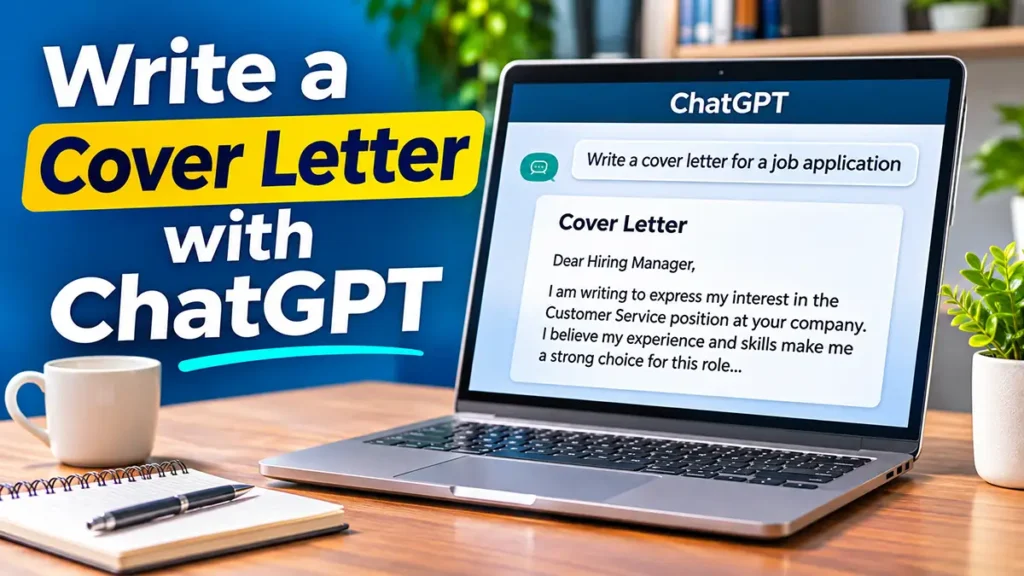
Learning how to use ChatGPT to write a cover letter can make the job application process easier, especially if you are unsure how to introduce yourself to a potential employer. With the help of artificial intelligence, you can organize your ideas and create a clear, professional letter.
A cover letter gives you an opportunity to explain why you are interested in a position and how your skills and experience match the employer’s needs. Unlike a resume, which summarizes your qualifications, a cover letter allows you to tell a more personal and focused story.
In this beginner-friendly guide, you will learn how to use ChatGPT to create a cover letter step by step. You will also discover practical prompts, useful examples, and simple tips to personalize your letter for different job opportunities.
However, remember that ChatGPT is a writing assistant, not a replacement for your own judgment. Always review its suggestions, keep your information accurate, and make sure the final letter reflects your real experience and personality.
Can ChatGPT Help You Write a Professional Cover Letter?
Yes, ChatGPT can help you write a professional cover letter by organizing your ideas, improving your writing, and suggesting ways to present your skills and experience.
Whether you are applying for your first job or looking for a new opportunity, ChatGPT can make the writing process easier. However, the information you provide is essential for creating a letter that feels personal and relevant.
Organize Your Ideas Before Writing
Before writing a cover letter, you need to understand what the employer is looking for and identify the skills that make you a good candidate.
ChatGPT can help you organize this information into a clear structure, including an introduction, a description of your qualifications, and a professional closing.
Improve Your Writing and Professional Tone
A good cover letter should sound professional, confident, and natural.
ChatGPT can suggest clearer sentences, correct grammar mistakes, and help you avoid repetitive language. It can also adjust the tone of your letter to match the position you are applying for.
Understand the Limitations of AI-Generated Cover Letters
Although ChatGPT is a useful writing assistant, it does not know your personal experiences unless you share them.
Sometimes, AI-generated letters may sound too generic or include details that are not accurate. Always check the information, personalize the wording, and make sure the letter reflects your actual qualifications.
How to Use ChatGPT to Write a Cover Letter Step by Step
Writing a cover letter with ChatGPT is easier when you follow a simple process. Instead of asking AI to create a generic letter, provide specific information about the job, your experience, and your goals.
Follow these five steps to create a professional and personalized cover letter.
Step 1: Gather Information About the Job
Before using ChatGPT, read the job description carefully.
Identify the position, company name, required skills, and main responsibilities. Think about how your experience matches what the employer is looking for.
You should also prepare a few details about your background, including relevant skills, achievements, and reasons for applying.
Step 2: Give ChatGPT a Clear Prompt
A prompt is the instruction you give ChatGPT. The more specific your prompt, the more useful the response can be.
For example, you can use this simple prompt:
Example Prompt:
“Help me write a professional cover letter for a customer service position. I have two years of experience helping customers, solving problems, and working with a team. Use a friendly but professional tone. Do not invent qualifications or achievements.”
This prompt gives ChatGPT enough information to create a useful first draft.
Step 3: Review the First Draft
After ChatGPT generates your cover letter, read it carefully.
Check whether the letter explains your interest in the position, highlights relevant skills, and sounds natural.
Make sure the information is accurate. If ChatGPT includes details that do not reflect your experience, remove or correct them.
Step 4: Ask ChatGPT to Improve Your Letter
You do not have to accept the first version.
You can ask ChatGPT to make your letter shorter, clearer, or more professional.
Example Prompt:
“Please improve this cover letter. Make it more concise, use simple professional English, and keep my original experience and qualifications accurate.”
You can also ask ChatGPT to adjust individual paragraphs or suggest a stronger introduction.
Step 5: Personalize and Finalize Your Cover Letter
Before sending your cover letter, make sure it reflects your own voice.
Include the correct company name and position, explain why you are interested in the opportunity, and highlight qualifications that are relevant to the job.
Finally, check spelling, grammar, and formatting.
A personalized cover letter is usually more effective than a generic AI-generated letter because it shows the employer why you are interested in that particular position.
Example of a Cover Letter Written With ChatGPT
To better understand how ChatGPT can help, let’s look at a simple example of a cover letter for a customer service position.
Imagine that you have two years of customer service experience and want to apply for a new job. You can provide ChatGPT with your background and ask it to create a professional letter.
Sample Cover Letter for a Customer Service Job
Dear Hiring Manager,
I am writing to express my interest in the Customer Service Representative position at your company. With two years of experience assisting customers, resolving problems, and working with a team, I believe I can make a positive contribution to your organization.
In my previous role, I developed strong communication and problem-solving skills. This experience taught me to listen carefully to customers, understand their needs, and provide helpful solutions in a professional and friendly manner.
The opportunity to bring my experience and dedication to your team is exciting. I would welcome the chance to discuss how my skills could support your company’s customer service goals.
Thank you for considering my application. I look forward to hearing from you.
Sincerely,
[Your Name]
Why This Cover Letter Works
This example follows a simple professional structure. It introduces the applicant, highlights relevant experience, explains their interest in the position, and ends with a polite closing.
However, this is only a sample. When creating your own cover letter, replace the general information with details about your real experience, the company, and the position you want.
ChatGPT can help you improve the wording, but your personal information is what makes the letter meaningful and authentic.
Common Mistakes to Avoid When Using ChatGPT for Cover Letters
ChatGPT can make writing a cover letter easier, but using it incorrectly may result in a letter that sounds generic or contains inaccurate information.
Here are some common mistakes to avoid when creating your cover letter with AI.
1. Using a Generic Cover Letter for Every Job
One common mistake is sending the same cover letter to multiple employers without making changes.
Every job has different requirements, so your letter should highlight the skills and experience that are most relevant to each position.
Use ChatGPT to customize your letter based on the job description rather than creating one version for every application.
2. Including Skills or Experience You Do Not Have
ChatGPT may occasionally suggest qualifications, achievements, or responsibilities that you have not mentioned.
Never include information that is not true.
Employers may ask questions about your experience during an interview, so your cover letter should always reflect your actual background.
3. Making Your Cover Letter Too Long
A cover letter should be clear, focused, and easy to read.
Avoid unnecessary details, repeated information, and long paragraphs that make it difficult for employers to identify your qualifications.
You can ask ChatGPT to shorten your letter while keeping the most important information.
4. Forgetting to Personalize the Letter
An AI-generated cover letter may sound professional but lack personality.
Add specific reasons why you want the job, mention relevant accomplishments, and explain what interests you about the company.
These details can help your application feel more authentic.
5. Sending the Letter Without Reviewing It
Even when ChatGPT produces a well-written letter, you should never send it without checking the final version.
Review names, job titles, grammar, spelling, and formatting.
Also, make sure the tone is appropriate and that the letter sounds like something you would naturally say.
Remember that ChatGPT is a tool to support your writing, but you are responsible for the final content.
Tips on How to Use ChatGPT to Write a Cover Letter
Learning how to use ChatGPT to write a cover letter is only the beginning. A few simple techniques can help you create a more effective and personalized application.
Here are some practical tips to improve your results.
Use Specific Information in Your Prompts
Instead of asking ChatGPT to write a general cover letter, include details about the position, your experience, and your most relevant skills.
For example, mention the job title, the type of company, and one or two accomplishments you want to highlight.
Specific information helps ChatGPT produce a draft that is more relevant to your application.
Match Your Skills to the Job Description
Read the job description carefully and identify the qualifications the employer considers important.
Then, ask ChatGPT to help you connect those requirements with your real experience.
Example Prompt:
“Compare my experience with this job description and suggest which of my existing skills I should highlight in my cover letter. Do not add qualifications I have not provided.”
This approach can help you focus on the information that matters most to the employer.
Keep Your Writing Natural and Professional
A good cover letter should sound confident without being exaggerated.
Avoid overly complicated expressions or sentences that do not reflect your natural communication style.
You can ask ChatGPT to use clear, simple English while maintaining a professional tone.
Create Different Versions for Different Jobs
If you are applying for several positions, consider creating a separate cover letter for each opportunity.
ChatGPT can help you adjust the introduction, emphasize different skills, and tailor the closing paragraph to the employer.
Always review each version before submitting it.
Read Your Cover Letter Aloud
Reading your letter aloud is a simple way to identify awkward sentences or unnatural expressions.
If a sentence sounds confusing, ask ChatGPT to rewrite it in a clearer way.
Your final cover letter should be easy to understand and comfortable for you to discuss during a job interview.
Frequently Asked Questions About Writing Cover Letters With ChatGPT
Can I Use ChatGPT to Write a Cover Letter?
Yes, you can use ChatGPT to help write a cover letter. It can organize your ideas, suggest professional wording, and create a first draft based on the information you provide.
However, you should always review the letter and personalize it before sending it to an employer.
Is It Okay to Use AI for a Job Application?
In many situations, using AI as a writing assistant is acceptable. However, employers may have different policies regarding AI-generated application materials.
Always follow the employer’s instructions and make sure your cover letter accurately represents your skills, qualifications, and experience.
Can Employers Tell If a Cover Letter Was Written by ChatGPT?
There is no reliable way to determine with certainty whether a cover letter was written using ChatGPT simply by reading it or using an AI detection tool.
However, generic language and a lack of personal details may make a letter feel less authentic.
The best approach is to use ChatGPT for assistance while adding your own experiences and natural writing style.
How Long Should a Cover Letter Be?
A typical cover letter is about half a page to one page long, often containing three or four short paragraphs.
The ideal length depends on the position and the employer’s instructions. Focus on relevant information rather than trying to reach a specific word count.
Can ChatGPT Improve a Cover Letter I Already Wrote?
Yes. You can paste your existing cover letter into ChatGPT and ask for suggestions to improve grammar, clarity, structure, and professional tone.
You can also request a shorter version or ask ChatGPT to make specific sentences easier to understand.
Before sharing your letter, remove unnecessary personal or sensitive information.
Final Thoughts
Learning how to use ChatGPT to write a cover letter can help you save time, organize your ideas, and present your qualifications more clearly.
By providing detailed prompts, reviewing AI-generated suggestions, and personalizing your writing, you can create a professional cover letter that reflects your real experience and interests.
Remember that a strong cover letter is not just about using the right words. It is about showing employers why your skills, background, and motivation make you a suitable candidate for the position.
If you are new to ChatGPT, start with a simple prompt and improve your letter one step at a time. With a little practice, you can use AI as a helpful writing assistant throughout your job search.
Before writing your cover letter, you may also want to prepare your resume. Read our guide on How to Use ChatGPT to Write a Resume to learn how to create a professional resume with simple, beginner-friendly steps.
Once your resume and cover letter are ready, the next step may be preparing for an interview. Check out our guide on How to Use ChatGPT to Prepare for a Job Interview to practice common questions and build your confidence.
Ready to get started? Open ChatGPT, describe the position you want, and try creating your first personalized cover letter today.
Pingback: How to Use ChatGPT to Write Professional Emails