
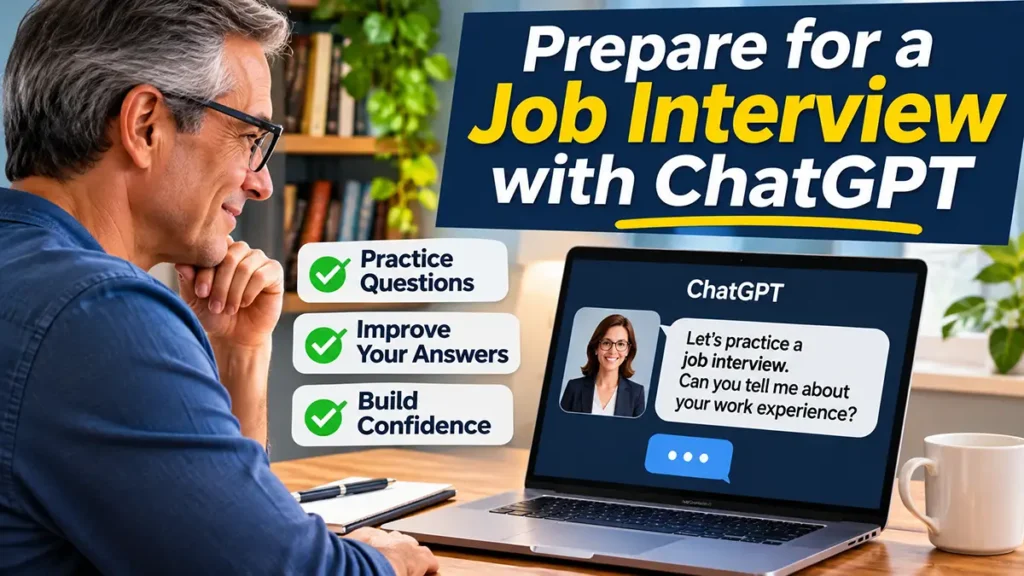
Learning how to use ChatGPT to prepare for a job interview can help you feel more confident and organized before meeting a potential employer. Whether you are applying for your first job or looking for a new career opportunity, practicing your answers can make the interview process less stressful.
Job interviews often include questions about your experience, skills, strengths, and career goals. Fortunately, ChatGPT can help you practice common interview questions, organize your thoughts, and improve how you communicate your qualifications.
In this beginner-friendly guide, you will discover how to use ChatGPT as a virtual interview practice partner. You will also learn simple prompts, practical exercises, and useful strategies to prepare for different types of job interviews.
However, remember that ChatGPT is a practice tool, not a guarantee of getting hired. Its suggestions should always be reviewed and adapted to your real experience, personality, and professional background.
How to Use ChatGPT to Prepare for a Job Interview: Step by Step
Preparing for a job interview with ChatGPT is simple, even if you have never used artificial intelligence before. By following these five steps, you can practice realistic questions, improve your answers, and feel more prepared for your next interview.
Step 1: Gather Information About the Job
Before starting your practice session, review the job description and identify the main responsibilities and required skills.
For example, if you are applying for a customer service position, the employer may value communication, patience, teamwork, and problem-solving skills.
Make a short list of your relevant experience and qualifications. This information will help ChatGPT suggest interview questions that match the position.
Additionally, avoid sharing unnecessary personal information or confidential details about previous employers.
Step 2: Ask ChatGPT to Act as an Interviewer
Next, open ChatGPT and ask it to simulate a job interview.
You can begin with this simple prompt:
Example Prompt:
“Act as a friendly job interviewer for a customer service position. I am a beginner preparing for an interview. Ask me one question at a time, wait for my answer, and provide helpful feedback before moving to the next question. Use clear and professional English.”
ChatGPT can then ask questions similar to those you might hear during a real interview.
For example, it may begin with:
“Can you tell me a little about yourself?”
Answer naturally, using your real experience and qualifications.
Step 3: Practice Answering Common Questions
After starting the interview simulation, respond to each question as if you were speaking with a real employer.
Try to keep your answers clear, relevant, and reasonably concise.
For example, ChatGPT might ask:
“Why do you want to work for our company?”
A simple practice answer could be:
“I am interested in this position because I enjoy helping customers and working with a team. I would like to use my communication skills while continuing to learn and grow professionally.”
However, this is only an example. Your actual answer should reflect your interests and what you know about the company.
If you find a question difficult, ask ChatGPT to explain what the interviewer wants to understand.
Step 4: Ask ChatGPT to Improve Your Answers
Once you have answered a few questions, ask ChatGPT to review your responses.
It can help identify unclear sentences, unnecessary repetition, or missing details.
Example Prompt:
“Review my interview answer and suggest ways to make it clearer, more confident, and more professional. Explain your suggestions in simple English. Keep my original meaning and do not invent any experience or qualifications.”
After reviewing the feedback, try answering the same question again using your own words.
This repetition can help you organize your thoughts and become more comfortable expressing your ideas.
Step 5: Practice a Complete Mock Interview
Finally, ask ChatGPT to conduct a complete practice interview without interrupting after every answer.
This exercise can help you experience a more natural conversation and practice responding to several questions in sequence.
Example Prompt:
“Conduct a realistic mock interview for an entry-level customer service position. Ask me eight questions, one at a time. Wait for my response before asking the next question. At the end, provide constructive feedback on my answers, clarity, and areas for improvement.”
If voice conversation is available on your device, you can practice speaking instead of typing.
For example, you might use a microphone or headset to answer questions aloud.
After completing the interview, review ChatGPT’s feedback and identify two or three areas you would like to improve.
Remember that regular practice can help you feel more prepared, but your answers should always remain honest and natural.
How to Answer Difficult Interview Questions With ChatGPT
Some job interview questions can be challenging, especially when you are unsure how to explain your experiences or discuss your weaknesses.
Fortunately, ChatGPT can help you understand these questions and practice thoughtful, professional answers.
However, the goal is not to memorize perfect responses. Instead, you should learn how to communicate your real experiences clearly and confidently.
How to Answer “What Is Your Greatest Weakness?”
This question can feel uncomfortable because you may not want to discuss your weaknesses with a potential employer.
However, interviewers often use it to understand your self-awareness and willingness to improve.
For example, you might explain that you sometimes feel nervous when speaking in front of groups but have been practicing to become more confident.
Example Prompt:
“Help me prepare an honest answer to the interview question ‘What is your greatest weakness?’ My weakness is public speaking, and I am working to improve it. Suggest a short, professional response without making me sound perfect.”
Example Answer:
“One area I am working to improve is public speaking. I sometimes feel nervous when presenting to groups. However, I have been practicing regularly and looking for opportunities to become more confident.”
Remember to choose a real weakness and explain what you are doing to improve.
How to Answer “Tell Me About a Time You Solved a Problem”
Employers often ask this question to understand how you handle challenges and make decisions.
A useful approach is the STAR method, which stands for Situation, Task, Action, and Result.
For example, you can organize your answer by explaining:
- Situation: What problem or challenge did you face?
- Task: What were you responsible for?
- Action: What steps did you take?
- Result: What happened after your actions?
ChatGPT can help you turn your real experience into a clear answer using this structure.
Example Prompt:
“Help me organize a real workplace problem-solving experience using the STAR method. Ask me questions about the situation, my responsibility, the actions I took, and the result. Then help me create a clear interview answer without inventing details.”
By practicing this method, you can provide more specific examples instead of giving vague answers.
How to Answer “Why Should We Hire You?”
This question gives you an opportunity to explain why your skills and experience are relevant to the position.
Instead of making exaggerated claims, focus on two or three strengths that match the employer’s needs.
For example, someone applying for a customer service position might highlight communication skills, patience, and experience helping customers.
Example Prompt:
“Help me prepare a concise answer to ‘Why should we hire you?’ for a customer service position. My strengths are communication, teamwork, and problem-solving. Use natural, professional language and do not invent experience.”
Example Answer:
“I believe I could be a good fit for this position because I communicate clearly, enjoy working with others, and like solving problems. I would be motivated to support customers and contribute to the team.”
Finally, practice saying your answer aloud. This can help you sound more natural and comfortable during a real interview.
How to Practice Job Interviews Using ChatGPT Voice Mode
Practicing interview questions by typing can be helpful. However, speaking your answers aloud can make the experience more realistic.
With ChatGPT Voice Mode, you can practice responding to interview questions through spoken conversations. This can help you improve your communication skills, organize your thoughts, and become more comfortable speaking during an interview.
Step 1: Start a Voice Conversation
First, open ChatGPT on your computer or mobile device.
Look for the voice conversation option in the ChatGPT interface. Depending on your device and available features, you may need to allow microphone access.
If you are using a computer, a headset with a microphone can help you hear questions clearly and reduce background noise. However, a built-in microphone may also work.
Once the voice conversation begins, explain that you want to practice for a job interview.
Step 2: Ask ChatGPT to Simulate an Interview
Next, tell ChatGPT which position you are applying for and ask it to act as an interviewer.
For example, you can say:
Example Voice Prompt:
“Act as a friendly interviewer for a customer service position. Ask me one question at a time and wait for my spoken answer. Keep the conversation realistic and give me feedback at the end.”
ChatGPT can then guide you through a spoken interview simulation.
Try to answer naturally, just as you would when speaking with a real employer.
If you need more time to think, you can ask ChatGPT to repeat or clarify a question.
Step 3: Review Your Speaking Performance
After completing the practice interview, ask ChatGPT to provide constructive feedback.
For example, you can say:
Example Voice Prompt:
“Please give me feedback on my interview answers. Tell me which responses were clear and which ones I could improve. Suggest simple ways to sound more confident and professional.”
Review the feedback and identify areas where you can improve.
For example, you might need to organize your answers more clearly, avoid unnecessary repetition, or provide more specific examples.
If the voice feature supports the type of feedback you need, you can also ask for suggestions about your spoken communication.
However, remember that AI feedback is not a perfect evaluation of your speaking ability or interview performance.
With regular practice, you can become more comfortable answering questions aloud and explaining your professional experience in your own words.
Common Mistakes to Avoid When Practicing Job Interviews With AI
ChatGPT can be a valuable tool for interview preparation. However, relying too heavily on artificial intelligence may lead to mistakes that affect your performance during a real job interview.
To make your practice sessions more effective, avoid the following common problems.
1. Memorizing AI-Generated Answers
One common mistake is memorizing answers created by ChatGPT word for word.
Although these responses may sound professional, they might not reflect your natural speaking style or personal experience.
Instead, use ChatGPT’s suggestions as examples and practice explaining your ideas in your own words.
As a result, your answers can sound more authentic and conversational.
2. Providing Inaccurate Information
ChatGPT may sometimes suggest experiences, skills, or achievements that do not match your professional background.
For example, it might create an impressive story about managing a team even if you have never held a management position.
Therefore, always review AI-generated answers and remove information that is not true.
Remember that honesty is essential when discussing your qualifications with a potential employer.
3. Practicing Without Researching the Company
Another common mistake is preparing only for general interview questions without learning about the company.
Before your interview, visit the employer’s official website and review its products, services, and job requirements.
Then, use ChatGPT to help you connect your actual experience with the position.
For example, you can use this prompt:
Example Prompt:
“Help me prepare for a job interview using the company information and job description I provide. Suggest relevant interview questions and explain what skills I should highlight. Do not invent facts about the company or my experience.”
Always verify important company information using reliable sources.
4. Ignoring Feedback and Repeating the Same Mistakes
Practicing interview questions is helpful, but improvement also requires reviewing your performance.
If ChatGPT identifies an unclear answer, take a moment to understand the suggestion.
Next, try answering the question again with better organization and more specific examples.
Additionally, consider practicing with a friend or family member to receive feedback from a real person.
By combining AI practice with personal preparation, you can develop stronger communication skills and feel more comfortable during interviews.
Frequently Asked Questions About Using ChatGPT for Job Interviews
Can ChatGPT Help Me Prepare for a Job Interview for Free?
Yes. You can use the free version of ChatGPT to practice common interview questions, organize your answers, and prepare for different job opportunities.
However, some features may have usage limits depending on your account and the available tools.
You can start with simple text-based practice sessions without paying for a subscription.
Can ChatGPT Conduct a Realistic Mock Interview?
Yes. ChatGPT can simulate a job interview by asking questions related to a specific position.
For example, you can ask it to act as a recruiter and ask one question at a time.
After completing the practice session, you can request feedback on your answers and suggestions for improvement.
However, AI simulations cannot perfectly reproduce every situation you may encounter during a real interview.
Can I Practice Speaking With ChatGPT Before an Interview?
Yes. If voice conversations are available on your device, you can practice answering interview questions aloud.
This can help you become more comfortable explaining your experience and qualifications.
For example, you can ask ChatGPT to simulate a friendly interviewer and respond to your spoken answers.
Additionally, practicing aloud may help you identify areas where you need to improve your communication.
Can ChatGPT Help Me Prepare for an Interview With No Experience?
Yes. ChatGPT can help students, recent graduates, and first-time job applicants prepare for interviews.
Instead of focusing only on previous employment, you can practice discussing your education, relevant skills, volunteer activities, and personal projects.
For example, ChatGPT can help you explain how teamwork or problem-solving skills developed during school activities may relate to a job.
However, always use real examples and avoid inventing experience.
Should I Trust Every Interview Answer Suggested by ChatGPT?
No. Although ChatGPT can provide useful suggestions, its answers may sometimes be inaccurate, too generic, or unsuitable for your situation.
Therefore, review every response and adapt it to your actual experience and the position you want.
Also, verify important information about the company using its official website or other reliable sources.
Remember that ChatGPT should support your preparation, not replace your own judgment.
Final Thoughts: How to Use ChatGPT to Prepare for a Job Interview
Learning how to use ChatGPT to prepare for a job interview can make the preparation process easier and more organized. Whether you are applying for your first job or exploring a new career opportunity, practicing your answers can help you feel more confident.
By learning how to use ChatGPT to prepare for a job interview, you can practice common questions, improve your communication skills, and feel more confident when speaking with potential employers.
Additionally, ChatGPT Voice Mode can help you practice speaking aloud and responding to questions in a more natural way. However, remember that artificial intelligence is only a practice tool. Your answers should always reflect your real experience, qualifications, and personality.
If you are still preparing your job application, read our guide, How to Use ChatGPT to Write a Resume: A Beginner’s Guide, to learn how to create a clear and professional resume before your interview.
Finally, visit ChatGPT and try one of the example prompts from this article. With regular practice and thoughtful preparation, you can become more comfortable discussing your skills and professional goals during a job interview.
Pingback: How to Use ChatGPT to Write a Cover Letter