
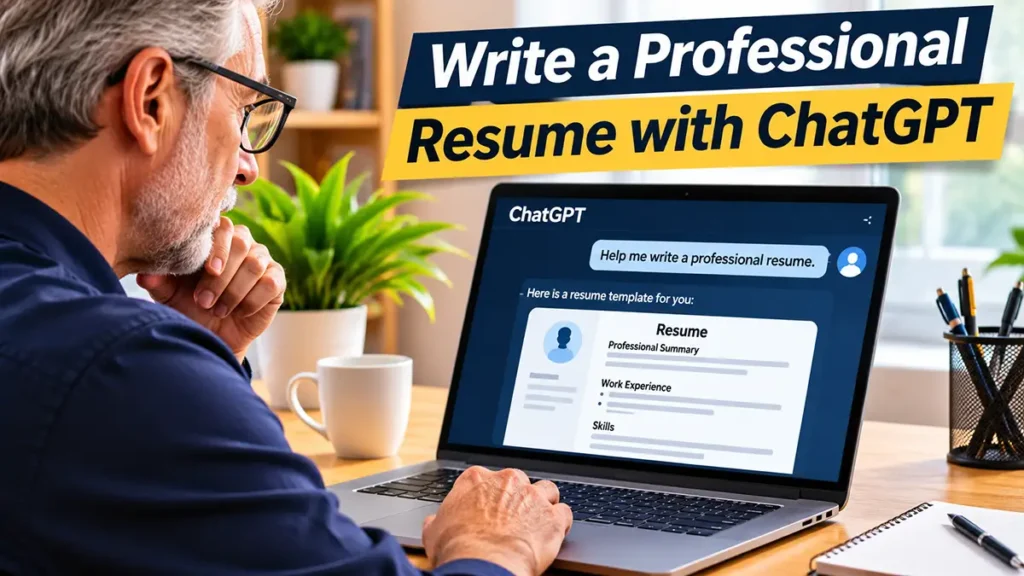
Learning how to use ChatGPT to write a resume can make the process easier, especially if you are applying for your first job or have not updated your resume in several years. With the help of artificial intelligence, you can organize your information and create a professional document more confidently.
In this beginner-friendly guide, you will learn how to use ChatGPT to write a resume with simple prompts, practical examples, and easy-to-follow instructions. You do not need previous experience with AI to get started.
ChatGPT can help you organize your work experience, describe your skills, improve your professional summary, and adapt your resume to different job opportunities. It can also suggest clearer wording and help you present your qualifications in a professional way.
However, ChatGPT should be used as a writing assistant rather than a source of invented information. Always review its suggestions, keep your experience and qualifications accurate, and avoid sharing unnecessary personal or confidential details.
Can ChatGPT Really Help You Write a Resume?
Yes! ChatGPT can be a useful tool for creating and improving a professional resume, especially if you are unsure how to describe your experience or organize your qualifications.
Instead of starting with a blank page, you can use ChatGPT to develop a clear structure, improve your wording, and highlight skills that are relevant to the job you want.
However, it is important to understand what ChatGPT can and cannot do.
Organize Your Professional Information
A good resume should present your qualifications in a clear and logical order.
ChatGPT can help you organize information such as your work experience, education, professional skills, and relevant achievements.
For example, you can provide a list of your previous jobs and responsibilities. Then, ChatGPT can suggest how to organize that information into sections that are easy for employers to read.
This can be especially helpful if you have worked in different industries or have not updated your resume recently.
Improve Your Resume Writing
Describing your professional experience can be difficult, particularly when you are not sure which words to use.
ChatGPT can suggest clearer sentences, stronger action verbs, and more concise descriptions of your responsibilities.
For example, instead of writing:
“Responsible for helping customers.”
You could write:
“Assisted customers with questions, product information, and service requests.”
The second version provides more detail while keeping the description professional and easy to understand.
However, always make sure the suggested wording accurately reflects the work you performed.
Understand the Limitations of AI Resume Writing
Although ChatGPT can help improve your resume, it does not automatically know your professional history, qualifications, or achievements.
You must provide accurate information and carefully review the content it generates.
Never include invented job titles, false qualifications, exaggerated achievements, or skills you do not possess.
Additionally, avoid sharing unnecessary sensitive information, such as identification numbers, financial details, or confidential information about previous employers.
Remember that ChatGPT is a writing assistant. You are responsible for making sure your final resume is truthful, relevant, and appropriate for the position you are applying for.
How to Write a Resume With ChatGPT: Step by Step
Creating a resume with ChatGPT does not have to be complicated. By following a few simple steps, you can organize your professional information and turn it into a clear, well-structured document.
Step 1: Gather Your Professional Information
Before using ChatGPT, take a few minutes to collect the information you want to include in your resume.
Start with your previous jobs, education, professional skills, certifications, and relevant achievements.
If possible, write down specific examples of your responsibilities and accomplishments. This will help ChatGPT create more accurate and useful descriptions.
For example, you might prepare the following information:
- Previous job: Sales Assistant
- Experience: Three years in retail
- Main responsibilities: Customer service, product organization, and inventory support
- Skills: Communication, teamwork, and problem-solving
- Education: High school diploma
You do not need to write perfect sentences at this stage. Simple notes are enough.
Step 2: Ask ChatGPT to Create a Resume Outline
Once your information is ready, open ChatGPT and ask it to suggest a professional resume structure.
You can start with this simple prompt:
Example Prompt:
“Act as a professional resume writing assistant. Help me create a clear, professional resume for a Sales Assistant position. Suggest a simple structure with sections for a professional summary, work experience, skills, and education. Do not invent any information.”
ChatGPT can suggest a structure that you can adjust to your needs.
For most beginners, a simple resume with clear headings and consistent formatting is a good starting point.
Step 3: Create Your Professional Summary
A professional summary is a short paragraph near the beginning of your resume. It introduces your experience, main skills, and career goals.
Instead of trying to write everything yourself, you can ask ChatGPT to help you prepare a first draft.
Example Prompt:
“Write a short professional summary for a Sales Assistant with three years of retail experience. Highlight customer service, teamwork, and communication skills. Use simple, professional language and do not add qualifications I have not provided.”
Example Result:
“Sales Assistant with three years of retail experience, skilled in customer service, teamwork, and communication. Experienced in assisting customers, organizing products, and supporting daily store operations.”
Review the result and make sure it accurately describes your experience.
Step 4: Improve Your Work Experience Descriptions
Your work experience section should explain what you did in previous jobs and, when possible, what you achieved.
ChatGPT can help transform basic notes into clear, professional bullet points.
Example Prompt:
“Rewrite these responsibilities as three concise resume bullet points: helping customers, organizing products, and supporting inventory tasks. Use professional language without inventing achievements or numbers.”
Example Result:
- Assisted customers with product questions and service requests.
- Organized merchandise to maintain a clean and accessible sales area.
- Supported inventory activities and helped monitor product availability.
These descriptions are more specific than a simple list of job duties.
However, only use statements that reflect your actual responsibilities.
Step 5: Review and Personalize Your Resume
After ChatGPT generates your resume content, review every section carefully.
Check your job titles, employment dates, education, skills, and professional achievements.
Next, compare your resume with the job description and make adjustments that highlight relevant experience.
You can also ask ChatGPT to identify unclear sentences or unnecessary repetition.
Example Prompt:
“Review my resume for clarity, grammar, and professional tone. Suggest improvements while keeping all information accurate. Do not invent experience, qualifications, or achievements.”
Finally, copy the reviewed content into a document editor, apply consistent formatting, and save your resume in the format requested by the employer.
Remember that AI-generated content is only a starting point. Your final resume should reflect your real professional background.
How to Tailor Your Resume to Different Jobs Using ChatGPT
One of the most useful ways to use ChatGPT when writing a resume is to adapt your existing document to different job opportunities.
Although your professional history should remain accurate, you can emphasize different skills and experiences depending on the position you are applying for.
For example, a customer service position may require strong communication skills, while an administrative role may place greater emphasis on organization and attention to detail.
Step 1: Review the Job Description
Before making changes to your resume, carefully read the job description.
Look for the main responsibilities, required skills, and qualifications mentioned by the employer.
Next, compare these requirements with your actual professional experience.
ChatGPT can help you identify which parts of your resume are most relevant to the position.
Example Prompt:
“Compare my resume with the following job description. Identify the skills and experience that match the employer’s requirements. Suggest which existing qualifications I should emphasize. Do not invent any skills, experience, or achievements.”
After entering this prompt, provide the relevant resume content and job description. Remove unnecessary personal information before sharing.
Step 2: Customize Your Resume Content
Once you understand the employer’s requirements, you can ask ChatGPT to suggest improvements to your professional summary and work experience descriptions.
For example, if you are applying for a customer service position, you may want to emphasize communication, problem-solving, and experience assisting customers.
Example Prompt:
“Help me adapt my resume for a customer service position. Highlight my existing communication, teamwork, and customer support experience. Keep the language professional and natural. Do not add qualifications I do not have.”
After reviewing the suggestions, choose the changes that accurately reflect your professional background.
Remember that customizing a resume does not mean changing your employment history or exaggerating your abilities. Instead, it means presenting your real qualifications in a way that is relevant to the job.
Additionally, keep the final document clear, concise, and easy to read. Use standard section headings and avoid unnecessary graphics or complicated formatting, especially when applying through online recruitment systems.
Common Mistakes to Avoid When Using ChatGPT for Resume Writing
ChatGPT can make resume writing easier, but using artificial intelligence without reviewing its suggestions may lead to mistakes.
To create a professional and trustworthy resume, avoid the following common problems.
1. Copying AI-Generated Text Without Reviewing It
One common mistake is copying everything ChatGPT generates without checking the information.
Although the text may sound professional, some descriptions may not accurately represent your experience.
Therefore, always review each section and make changes when necessary. Your resume should reflect your real skills, responsibilities, and achievements.
2. Including Skills or Experience You Do Not Have
ChatGPT may sometimes suggest qualifications or achievements that you have not provided.
For example, it might include management experience or technical skills that are not part of your professional background.
Never add false information to make your resume appear more impressive.
Instead, focus on presenting your actual experience clearly and confidently.
3. Using Complicated Language
A professional resume does not need difficult words or overly formal expressions.
In fact, simple and direct language often makes your qualifications easier to understand.
Ask ChatGPT to use clear sentences, relevant action verbs, and concise descriptions.
For example, you can use this prompt:
Example Prompt:
“Rewrite my resume using simple, clear, and professional English. Avoid complicated expressions, unnecessary adjectives, and repetitive sentences. Keep all information accurate.”
4. Forgetting to Check Formatting and Grammar
Even when ChatGPT produces well-written content, your final resume may still contain formatting problems or inconsistencies.
For this reason, check spelling, punctuation, employment dates, headings, and bullet points before submitting your application.
Additionally, make sure the document is easy to read on different devices.
A clean layout with consistent formatting can help employers find important information quickly.
Finally, remember to follow the employer’s instructions regarding file format and application requirements.
Frequently Asked Questions About Using ChatGPT to Write a Resume
Can ChatGPT Write a Resume for Free?
Yes. You can use the free version of ChatGPT to help draft and improve your resume, subject to its current usage limits.
For example, you can ask ChatGPT to organize your experience, write a professional summary, or suggest improvements to your job descriptions.
However, you should always review the generated content before using it in a job application.
Is It Okay to Use ChatGPT to Write a Resume?
Yes. ChatGPT can be a helpful writing assistant when preparing a resume.
However, the information must be truthful and accurately represent your qualifications.
Instead of copying everything automatically, use ChatGPT to improve clarity, organization, and professional wording.
Can ChatGPT Create a Resume Without Work Experience?
Yes. If you are applying for your first job, ChatGPT can help you organize your education, relevant skills, volunteer activities, personal projects, and training.
For example, students and recent graduates can highlight coursework, certifications, and practical experience related to the position.
However, never invent professional experience or qualifications.
Can ChatGPT Help Make My Resume ATS-Friendly?
ChatGPT can suggest ways to make your resume easier for applicant tracking systems (ATS) to process.
For example, it can help you use standard section headings, relevant keywords, and clear descriptions of your experience.
However, no AI tool can guarantee that your resume will pass an ATS screening process or result in a job interview.
Should I Include Personal Information When Using ChatGPT?
Only share the information necessary to create or improve your resume.
For example, you can describe your previous jobs, education, and skills without including your full address, identification numbers, or other sensitive details.
Before sharing a job description or resume, remove confidential information that is not needed for the task.
Final Thoughts: How to Use ChatGPT to Write a Resume
Learning how to use ChatGPT to write a resume can make the job application process easier, especially if you are creating your first resume or updating an older one.
By following the steps in this guide, you can organize your professional information, improve your writing, and create a resume that highlights your real skills and experience.
However, remember that ChatGPT is a writing assistant, not a replacement for your judgment. Always review its suggestions, verify your information, and customize your resume for each job opportunity.
If you are new to artificial intelligence, you can also read our guide, How to Use ChatGPT for Beginners: A Simple Step-by-Step Guide, to learn the basics before getting started.
Finally, visit ChatGPT and try one of the example prompts from this article. With a little practice, you can create a clear, professional resume that represents your qualifications accurately.
Pingback: How to Use ChatGPT to Prepare for a Job Interview
Pingback: How to Use ChatGPT to Write a Cover Letter