
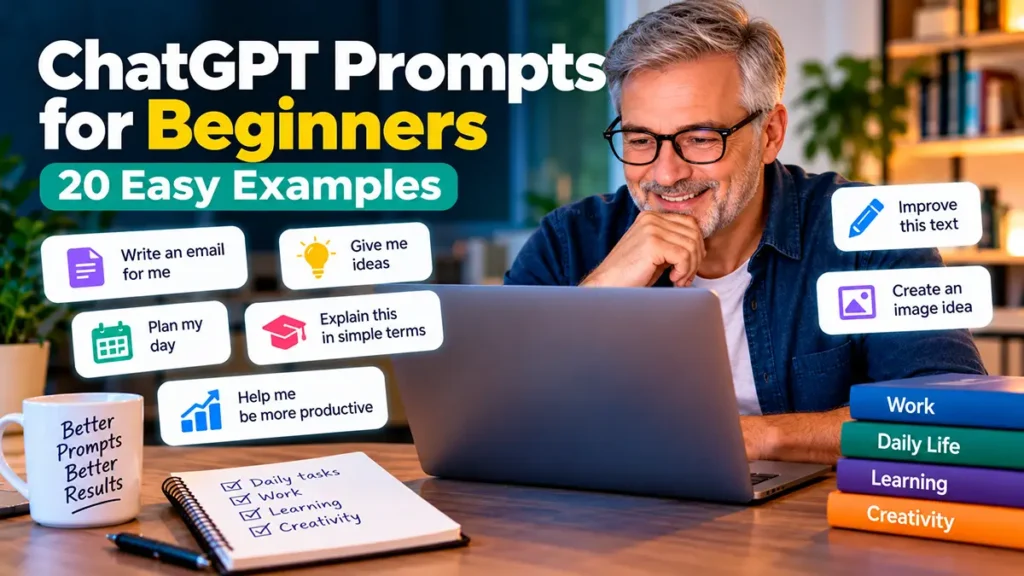
If you’re new to artificial intelligence, learning how to write effective ChatGPT prompts for beginners is one of the easiest ways to get started.
A prompt is simply a question or instruction you give ChatGPT. It can be as simple as asking for a recipe, writing an email, planning your day, or learning something new.
However, the way you write your prompt can make a big difference in the response you receive. Clear instructions help ChatGPT understand what you need and provide more useful answers.
In this beginner-friendly guide, you’ll learn what ChatGPT prompts are, how to write better ones, and how to use practical examples for everyday life, work, learning, and creativity.
Best of all, you don’t need technical skills or previous experience. Just start with a simple question and build from there.
What Is a ChatGPT Prompt?
A ChatGPT prompt is the message you type into ChatGPT to tell it what you want to know or accomplish. It can be a question, a request, or a detailed instruction.
For example, you could type:
“Give me three easy breakfast ideas.”
ChatGPT will use your request to generate a response with suggestions.
You can also provide more details to make the answer more useful. For example:
“Give me three healthy breakfast ideas that take less than 10 minutes to prepare and use common ingredients.”
The second prompt is more specific. It explains what kind of breakfast you want, how much time you have, and what ingredients you prefer.
This simple example shows an important principle: the clearer your instructions, the more likely ChatGPT is to provide a helpful response.
You don’t need to memorize complicated commands. Start with a simple request, add relevant details, and adjust your prompt until you get the information you need.
How to Write Better ChatGPT Prompts
You don’t need to be a technology expert to write effective prompts. The secret is to give ChatGPT clear instructions and enough information to understand what you’re looking for.
Here are five simple tips to help you get better results.
1. Be Clear About What You Want
Start by explaining exactly what you need.
Basic prompt: “Help me write something.”
Better prompt: “Write a friendly thank-you email to a coworker who helped me complete an important project.”
The second example gives ChatGPT a specific task and a clear purpose.
2. Provide Useful Context
Adding background information helps ChatGPT tailor its response.
Basic prompt: “Create a workout plan.”
Better prompt: “Create a beginner-friendly, 20-minute home workout that requires no equipment.”
You can include your experience level, available time, preferences, or other relevant details.
3. Specify the Format
Tell ChatGPT how you want the answer organized.
Example prompt: “Explain five benefits of learning a new language. Present the answer as a numbered list with short explanations.”
This makes the response easier to read and use.
4. Choose the Right Tone
You can ask ChatGPT to write in a friendly, professional, simple, or conversational style.
Example prompt: “Rewrite this message in a polite and professional tone while keeping it short.”
This is especially useful when writing emails, messages, and other everyday communications.
5. Ask Follow-Up Questions
Your first prompt doesn’t have to be perfect. You can improve the response by continuing the conversation.
For example, after receiving an answer, you might ask:
- “Can you explain that in simpler language?”
- “Give me a practical example.”
- “Make the answer shorter.”
- “Can you organize this into steps?”
ChatGPT can use the context of your conversation to refine its answers. However, remember to review important information and verify facts when accuracy matters.

Easy ChatGPT Prompts for Everyday Life
One of the best ways to practice ChatGPT prompts for beginners is to use them for simple, everyday activities.
You don’t need a complicated project to get started. Try these five prompts and adjust the details to match your needs.
1. Plan Your Day
Try this prompt:
“Help me organize my day. I have three important tasks, two appointments, and one hour for exercise. Create a realistic schedule with short breaks.”
This prompt helps you create a starting point for organizing your time. You can adjust the schedule to fit your actual commitments.
2. Create a Grocery List
Try this prompt:
“Create a grocery list for five simple dinners for two people. Group the ingredients by category and suggest affordable alternatives.”
You can make the list more useful by mentioning your budget, food preferences, or ingredients you already have.
3. Plan a Weekend Activity
Try this prompt:
“Suggest five affordable weekend activities for a family with two children. Include indoor and outdoor options.”
For more relevant suggestions, add your location, the children’s ages, and your preferred budget.
4. Write a Friendly Message
Try this prompt:
“Write a short, friendly birthday message for a close friend. Make it warm and personal without sounding too formal.”
You can ask ChatGPT to change the tone or length until the message sounds natural to you.
5. Learn Something New
Try this prompt:
“Explain how solar panels work to someone with no technical background. Use simple language and an everyday example.”
This is a useful way to explore unfamiliar topics. For important facts, compare the explanation with reliable sources.
ChatGPT Prompts for Work and Productivity
ChatGPT can also help you save time and stay organized at work. Whether you’re writing emails, planning projects, or preparing for meetings, clear prompts can make everyday professional tasks easier.
Here are five practical examples you can adapt to your own work.
6. Write a Professional Email
Try this prompt:
“Write a polite, professional email to a client explaining that a project will be delayed by two days. Keep the message clear, positive, and under 150 words.”
Review the message before sending it, especially the dates and commitments.
7. Organize a To-Do List
Try this prompt:
“Help me prioritize these tasks based on urgency and importance: [insert your tasks]. Create a simple to-do list and suggest which tasks I should complete first.”
This can help you identify priorities when you have several responsibilities.
8. Prepare for a Meeting
Try this prompt:
“Create a 30-minute meeting agenda for a team discussing project progress, current challenges, and next steps. Include suggested time limits for each topic.”
You can customize the agenda by adding the number of participants and the meeting’s main objective.
9. Improve a Business Message
Try this prompt:
“Rewrite the following message to make it clearer, more concise, and professional while keeping its original meaning: [paste your message].”
Avoid including confidential company information or personal details you don’t have permission to share.
10. Break Down a Large Project
Try this prompt:
“Help me break down a website redesign project into manageable tasks. Organize the tasks into planning, design, development, testing, and launch phases.”
This gives you an initial project outline that you can adjust based on your actual resources and deadlines.
These ChatGPT prompts for beginners can help you approach professional tasks more confidently. However, always review AI-generated work before using it in important business decisions.
ChatGPT Prompts for Learning and Education
Learning something new can feel challenging, especially when you’re unfamiliar with a subject. ChatGPT can help you explore topics, practice skills, and organize study sessions at your own pace.
Here are five beginner-friendly prompts for learning and education.
11. Understand a Difficult Topic
Try this prompt:
“Explain the basics of climate change in simple language for someone with no scientific background. Include three everyday examples.”
You can ask follow-up questions whenever something is unclear. For important facts, verify the information using reliable educational sources.
12. Practice a New Language
Try this prompt:
“Act as a friendly English conversation partner. Ask me five beginner-level questions, one at a time, and gently correct my grammar after each answer.”
This approach allows you to practice through an interactive conversation rather than simply memorizing vocabulary.
13. Create a Study Plan
Try this prompt:
“Create a two-week study plan for someone learning basic Excel skills. Include 30 minutes of practice per day and simple exercises.”
You can change the subject, available time, and difficulty level to match your goals.
14. Test Your Knowledge
Try this prompt:
“Create a short quiz with five multiple-choice questions about basic computer security. Ask one question at a time and explain the correct answer after I respond.”
Quizzes can help you review information and identify topics that need more practice.
15. Summarize Study Notes
Try this prompt:
“Summarize the following study notes into five key points. Then create three review questions to help me remember the main ideas: [paste your notes].”
Check the summary against your original notes to make sure important details haven’t been missed.
These ChatGPT prompts for beginners can make learning more interactive and approachable. Use AI as a study assistant, while continuing to consult reliable materials and develop your own understanding.
Learning something new can feel challenging, especially when you’re unfamiliar with a subject. ChatGPT can help you explore topics, practice skills, and organize study sessions at your own pace.
Here are five beginner-friendly prompts for learning and education.
11. Understand a Difficult Topic
Try this prompt:
“Explain the basics of climate change in simple language for someone with no scientific background. Include three everyday examples.”
You can ask follow-up questions whenever something is unclear. For important facts, verify the information using reliable educational sources.
12. Practice a New Language
Try this prompt:
“Act as a friendly English conversation partner. Ask me five beginner-level questions, one at a time, and gently correct my grammar after each answer.”
This approach allows you to practice through an interactive conversation rather than simply memorizing vocabulary.
13. Create a Study Plan
Try this prompt:
“Create a two-week study plan for someone learning basic Excel skills. Include 30 minutes of practice per day and simple exercises.”
You can change the subject, available time, and difficulty level to match your goals.
14. Test Your Knowledge
Try this prompt:
“Create a short quiz with five multiple-choice questions about basic computer security. Ask one question at a time and explain the correct answer after I respond.”
Quizzes can help you review information and identify topics that need more practice.
15. Summarize Study Notes
Try this prompt:
“Summarize the following study notes into five key points. Then create three review questions to help me remember the main ideas: [paste your notes].”
Check the summary against your original notes to make sure important details haven’t been missed.
These ChatGPT prompts for beginners can make learning more interactive and approachable. Use AI as a study assistant, while continuing to consult reliable materials and develop your own understanding.
Creativity isn’t limited to artists or professional writers. Everyone can benefit from exploring new ideas, finding inspiration, and trying different approaches to everyday challenges.
ChatGPT can serve as a brainstorming partner, helping you generate suggestions that you can develop and personalize.
Here are five creative prompts to try.
16. Generate Ideas for a Personal Project
Try this prompt:
“Suggest ten creative project ideas for someone who enjoys photography and wants to start a small personal blog. Keep the ideas simple and beginner-friendly.”
You can replace photography with any interest, such as gardening, cooking, travel, or technology.
17. Write a Short Story
Try this prompt:
“Write a short, heartwarming story about a person who discovers an unexpected friendship while traveling. Use simple language and keep it under 300 words.”
Try changing the setting, characters, or writing style to explore different possibilities.
18. Brainstorm Blog Post Ideas
Try this prompt:
“Suggest ten helpful blog post ideas about learning technology after age 50. Include a clear title and a short description for each idea.”
Use the suggestions as inspiration, then research your topics and add your own experience and perspective.
19. Plan a Creative Hobby
Try this prompt:
“Create a beginner-friendly, four-week plan for learning watercolor painting. Suggest simple exercises, basic supplies, and one small project per week.”
This can help you turn a new interest into manageable activities.
20. Find Different Ways to Solve a Problem
Try this prompt:
“Suggest five creative ways to organize a small home office with limited storage space and a modest budget. Explain the advantages of each idea.”
Comparing different suggestions can help you choose an approach that fits your needs.
These ChatGPT prompts for beginners demonstrate how AI can support creativity without replacing your personal judgment or imagination. The most useful ideas often come from combining AI suggestions with your own experiences.
Common ChatGPT Prompt Mistakes to Avoid
Even simple ChatGPT prompts can produce disappointing results when the instructions are unclear. Fortunately, a few small adjustments can make a big difference.
Here are some common mistakes beginners should avoid:
- Being too vague: Instead of asking “Help me with my work,” describe the specific task you need to complete.
- Leaving out important details: Include relevant information such as your goal, audience, preferred tone, or time limits.
- Expecting a perfect first answer: Ask follow-up questions and refine your instructions when necessary.
- Trusting every answer without checking: ChatGPT can make mistakes. Verify important facts, dates, and recommendations.
- Sharing sensitive information: Avoid entering passwords, financial details, or confidential information into your prompts.
Remember that writing effective prompts is a skill you develop through practice. You don’t need complicated instructions to get useful results.
Final Thoughts: Start with Simple Prompts
Learning to use ChatGPT doesn’t have to be complicated. With clear instructions, useful context, and a little practice, you can begin using AI for everyday tasks, professional activities, learning, and creative projects.
The 20 ChatGPT prompts for beginners in this guide are starting points. Feel free to copy them, change the details, and experiment with different approaches.
The most important thing is to start small, stay curious, and remember that you can always ask ChatGPT to improve or clarify an answer.
Want to keep learning? Explore our beginner-friendly guides:
- How to Use ChatGPT for Beginners: A Simple Step-by-Step Guide
- 25 Things You Can Ask ChatGPT: Practical Examples for Beginners
At Starting AI Today, our goal is to make artificial intelligence easier to understand and more useful in everyday life.
Pingback: What Is ChatGPT and How Does It Work? Beginner's Guide
Pingback: How to Use ChatGPT to Write Emails: Easy Guide -
Pingback: How to Use ChatGPT to Learn English: Easy Guide