
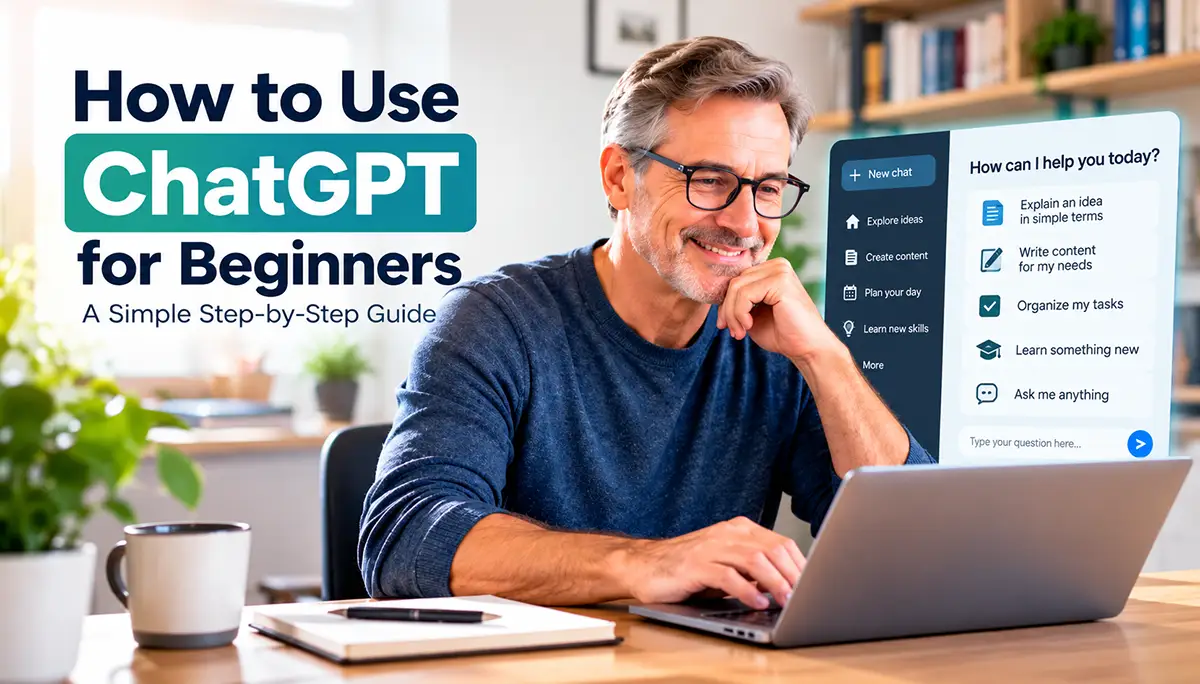
Artificial intelligence may sound complicated, but getting started with ChatGPT is easier than you might think.
ChatGPT is an AI assistant that can help you write emails, understand unfamiliar topics, organize your daily tasks, brainstorm ideas, and learn new skills.
You don’t need technical knowledge or programming experience to use it. All you need is an internet connection and a willingness to try something new.
In this beginner-friendly guide, you’ll learn how to start using ChatGPT, ask effective questions, and discover practical ways to make everyday life easier.
What Is ChatGPT?
ChatGPT is an artificial intelligence assistant developed by OpenAI. It understands questions and instructions written in everyday language and responds in a conversational way.
You can use ChatGPT to explain difficult subjects, suggest ideas, draft messages, summarize information, and help you solve everyday problems.
For example, instead of searching through several websites to understand a topic, you can ask ChatGPT to explain it in simple terms.
One of the biggest advantages of ChatGPT is that you can ask follow-up questions. If an answer is confusing, simply ask it to explain again or provide an example.
However, ChatGPT can sometimes make mistakes, so it’s important to verify information, especially when making medical, financial, or legal decisions.
How to start Using ChatGPT?
Getting started with ChatGPT is simple, even if you’ve never used artificial intelligence before. You don’t need to install complicated software or understand how AI works behind the scenes.
Follow these easy steps to begin using ChatGPT.
Step 1: Visit the ChatGPT Website
Open your preferred web browser, such as Google Chrome, Microsoft Edge, or Safari.
Go to https://chatgpt.com to access the official ChatGPT website.
You can begin exploring ChatGPT directly from your browser. Some features may require you to sign in.
Step 2: Create an Account or Sign In
If you want to save your conversations and access additional features, sign in or create an account.
Follow the instructions on the screen to complete the process. ChatGPT offers a free option, so you don’t need a paid subscription to get started.
Step 3: Ask Your First Question
Once you’re ready, find the message box and type a simple question.
For example:
“Can you explain artificial intelligence in simple words?”
Press Enter or click the send button to submit your question.
ChatGPT will generate a response based on your request.
Step 4: Continue the Conversation
One of the most useful features of ChatGPT is the ability to ask follow-up questions.
If the explanation is too complicated, you can write:
“Can you explain that again using a simple everyday example?”
You can continue asking questions until you feel comfortable with the subject.
Practical Ways to Use ChatGPT in Everyday Life
ChatGPT can be useful in many everyday situations. You don’t need to be a technology expert to benefit from it.
Here are five simple ways beginners can use ChatGPT:
1. Write Emails and Messages
Need help writing a professional email or a friendly message? ChatGPT can help you organize your thoughts and find the right words.
Example prompt: “Write a polite email asking to reschedule an appointment.”
2. Learn Something New
ChatGPT can explain unfamiliar topics using simple language and practical examples.
Example prompt: “Explain how artificial intelligence works as if I’m a complete beginner.”
3. Organize Your Daily Tasks
You can ask ChatGPT to help create schedules, checklists, and simple plans.
Example prompt: “Help me organize my daily tasks into a simple morning and afternoon schedule.”
4. Get Ideas for Hobbies and Activities
Whether you enjoy gardening, cooking, reading, or traveling, ChatGPT can suggest activities based on your interests.
Example prompt: “Suggest five easy gardening projects for beginners.”
5. Practice New Skills
ChatGPT can help you practice writing, learn vocabulary, prepare for interviews, or improve your communication skills.
Example prompt: “Help me practice English conversation with simple questions.”

How to Write Better ChatGPT Prompts
A prompt is simply the question or instruction you give ChatGPT. You don’t need special commands or technical knowledge to write a good prompt.
The clearer your instructions are, the more useful the response is likely to be.
Here are four simple tips to help you get better results.
1. Be Specific
Instead of asking “Help me write something,” explain exactly what you need.
Example prompt: “Write a friendly birthday message for my sister in about 50 words.”
2. Provide Context
Give ChatGPT a little background information so it can better understand your situation.
Example prompt: “I’m a beginner learning to use a computer. Explain how to organize files into folders using simple language.”
3. Ask for Simple Explanations
If a response seems complicated, ask ChatGPT to explain it in a different way.
Example prompt: “Explain this topic using simple words and an everyday example.”
4. Ask Follow-Up Questions
You don’t need to include everything in your first question. You can continue the conversation to improve the answer.
Example prompt: “Can you make that explanation shorter and give me three practical examples?”
Common ChatGPT Mistakes Beginners Should Avoid
ChatGPT is a powerful tool, but beginners should understand its limitations. Learning to avoid a few common mistakes can help you use AI more safely and effectively.
1. Trusting Every Answer Without Checking
ChatGPT can sometimes provide incorrect or outdated information, even when its answers sound convincing.
Helpful tip: Double-check important facts using reliable sources, especially when researching health, finances, or legal matters.
2. Sharing Personal or Sensitive Information
Avoid entering passwords, banking details, identification numbers, or other sensitive personal information into ChatGPT.
Helpful tip: Use general descriptions instead of sharing private details whenever possible.
3. Asking Questions That Are Too Vague
Questions without enough detail may lead to answers that don’t fully meet your needs.
Helpful tip: Explain what you want, provide relevant context, and mention your preferred format.
4. Expecting ChatGPT to Do Everything Perfectly
ChatGPT can help you brainstorm, write, learn, and organize information, but it can still make mistakes or misunderstand your instructions.
Helpful tip: Review the results carefully and use your own judgment before applying them.
5. Giving Up After the First Response
Your first answer may not be exactly what you expected. That doesn’t mean you asked a bad question.
Helpful tip: Ask follow-up questions, request examples, or explain what you would like to change. ChatGPT works best when you treat it as a conversation.
Frequently Asked Questions About ChatGPT
1. Is ChatGPT Free to Use?
Yes. ChatGPT offers a free version that allows beginners to ask questions, explore AI features, and learn how the technology works. Paid plans are also available with additional features and higher usage limits.
2. Do I Need Technical Skills to Use ChatGPT?
No. You don’t need programming knowledge or technical experience. If you can type a question or instruction, you can start using ChatGPT.
3. Can ChatGPT Help Me Learn New Things?
Yes. ChatGPT can explain unfamiliar subjects, provide examples, create practice exercises, and help you understand new concepts at your own pace.
4. Can I Use ChatGPT on My Smartphone?
Yes. You can access ChatGPT through a compatible mobile browser or the official ChatGPT app on supported smartphones.
5. Is ChatGPT Always Accurate?
No. ChatGPT can sometimes generate incorrect, incomplete, or outdated information. Always verify important facts using reliable sources before making decisions.
Conclusion: Start Using ChatGPT Today
Learning how to use ChatGPT doesn’t have to be complicated. With a few simple questions and a little practice, you can begin exploring the benefits of artificial intelligence in your everyday life.
Whether you want to write emails, organize your schedule, learn something new, or find creative ideas, ChatGPT can be a helpful assistant.
Remember to start with simple prompts, provide clear instructions, and ask follow-up questions whenever you need more information. Always review important answers and verify facts when necessary.
The best way to become comfortable with ChatGPT is to start using it. Try asking one question today, explore the response, and discover how AI can make everyday tasks easier.
At Starting AI Today, our goal is to make artificial intelligence simple, practical, and accessible to everyone.